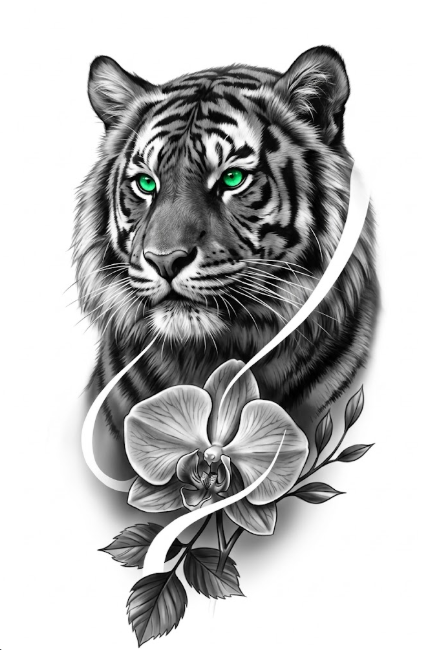
Realism tattoo stencil with AI
In about 30 seconds, no Photoshop. Free to try.
About realism tattoo
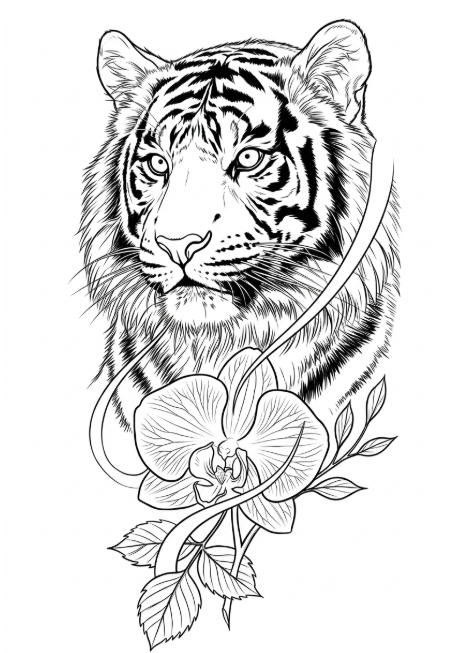
Realism is the style that demands the most precision in the stencil. Unlike traditional or blackwork — where the line is bold and contained — realism lives on shadow and gradient, with the contour serving only as a reference map. A realism tattoo artist doesn't draw the line on the skin: they pull the reference with key points (jawline, nostril, eye contour, plane transitions) and build the piece layer by layer. That's why a bad realism stencil is worse than no stencil — a line that's too thick shows under the shadow and ruins the whole piece. Decalker was trained specifically for this challenge: extract ONLY the main contour plus the anchor points the realist needs, discarding shadow noise and texture that will be built with the needle. In about 30 seconds you have the map that normally takes 30 minutes in Photoshop to draw by hand.
Defining characteristics
- ▸Thin contour as reference only (never the protagonist)
- ▸Anatomical key points (jawline, nostril, plane transitions)
- ▸Shadows and gradients built directly on skin
- ▸Photographic fidelity as the end goal
- ▸Ink layering (5-10 typical layers for black and gray portraits)
- ▸Higher precision in face, animals and anatomical details
How Decalker preserves the realism linework
Decalker on Contour mode was trained on thousands of realistic portraits to understand the hierarchy: what's contour (stays in the stencil) vs what's shadow (out of the stencil). The model identifies the anchor points you'd use as reference even if you drew the stencil by hand — nostril, eye contour, cheek transition — and marks them with minimum line weight. Skin shadow, hair texture, background gradient: all discarded. The result is a clean map you project on the skin and use as a mental guide while building the piece layer by layer. No visual noise, no line too thick, no having to manually clean the stencil before transferring.
Recommended Decalker style
Contour because it preserves the thin contour as reference while keeping anatomical precision — exactly what realism needs. Anime and Sketch generate thicker lines that hurt the result on skin.
Realism tattoo artists use it for...
- 1.Black and gray portraits (human face, focus on key facial points)
- 2.Animals with detailed fur (tigers, wolves, lions — contour map + eyes)
- 3.Large cover-ups where shadow needs to hide the old piece
- 4.Full sleeve composed of realistic elements (clock, rose, portrait)
- 5.Cosmetic and medical tattoos (areola after surgery, scar coverage)
Before-after examples